
The free dental 3D viewer where lab and dentist understand each other
Open STL, PLY, OBJ and exocad HTML files, measure and check contacts, then leave notes on the exact spot, typed or dictated. Fewer errors from unclear communication, nothing to install.
Free, no password. A quick sign-up with your email, then the files stay on your computer unless you create a link.
How it works
Load the case
Drag in STL, PLY or OBJ files, or the HTML exported by exocad, with its groups, colours and photos already inside.
Review and say exactly what to change
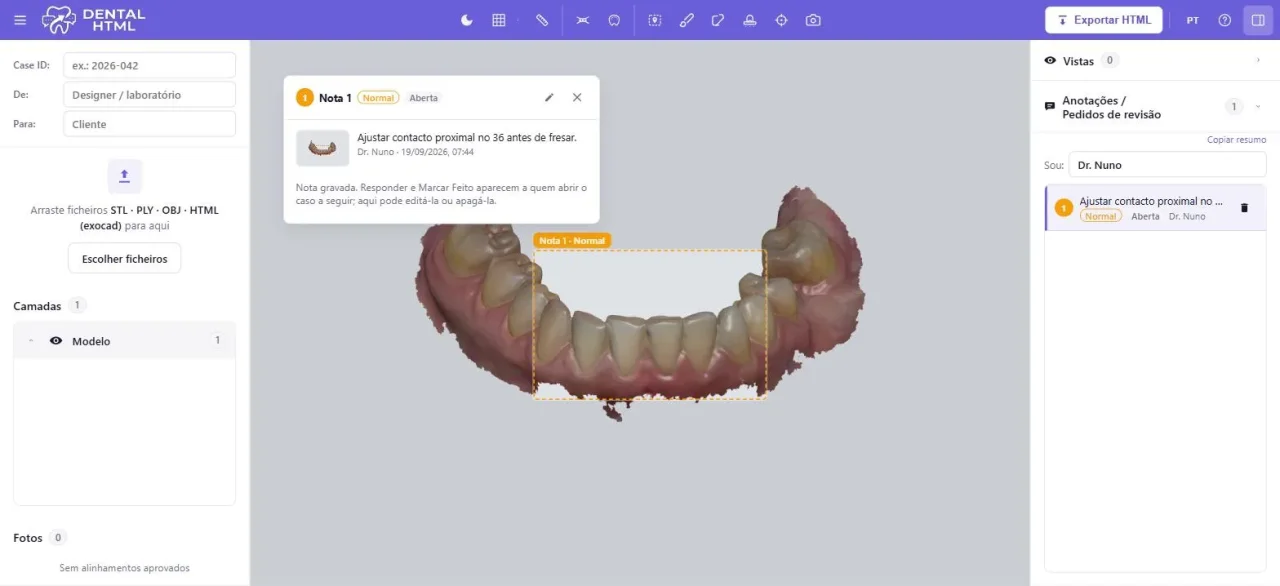
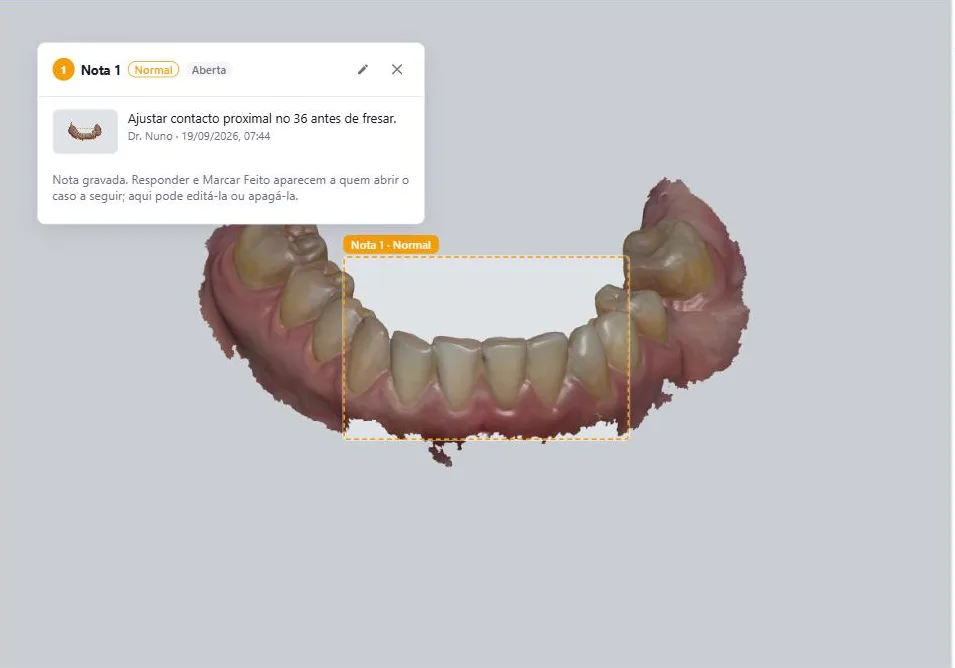
Measure, check occlusal contacts and thickness, then leave a note on the exact tooth, typed or dictated, with a priority. Each note keeps the view it was written in, so nobody has to guess what you meant.
Send it back
Export one self-contained HTML file, or create a link. Send it by email or WhatsApp; the other side opens it with nothing to install, replies on each note and attaches the corrected version.
Built for the whole case
CAD designers and labs
Receive requests that are clear the first time: each note shows the exact spot and view. Reply on the note, attach the corrected version and mark it done, without long emails or phone calls.
Dentists
Open the case the lab sent, rotate and measure it, mark what needs to change right on the tooth, dictate the note if you prefer, and send it back. No software to install.
Clinic and patient
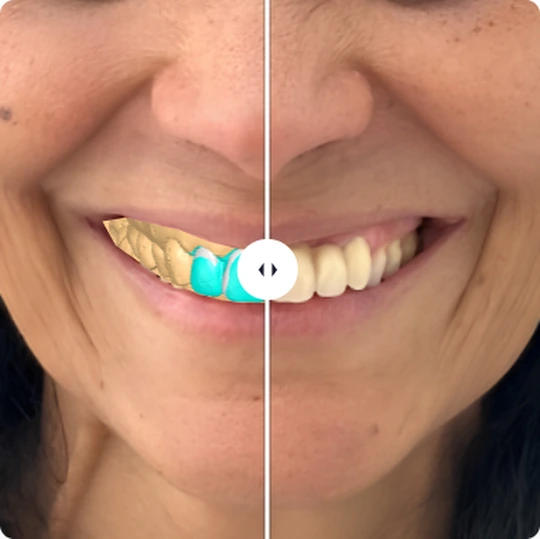
Show the plan in 3D during the consultation, align a smile photo to the model to simulate the result, and compare before and after together.
Notes that leave no room for doubt
Most remakes start with a message that was understood differently on each side. In Dental HTML the note is written on the tooth itself, in the view you chose, and the whole conversation stays with it.
Frame it
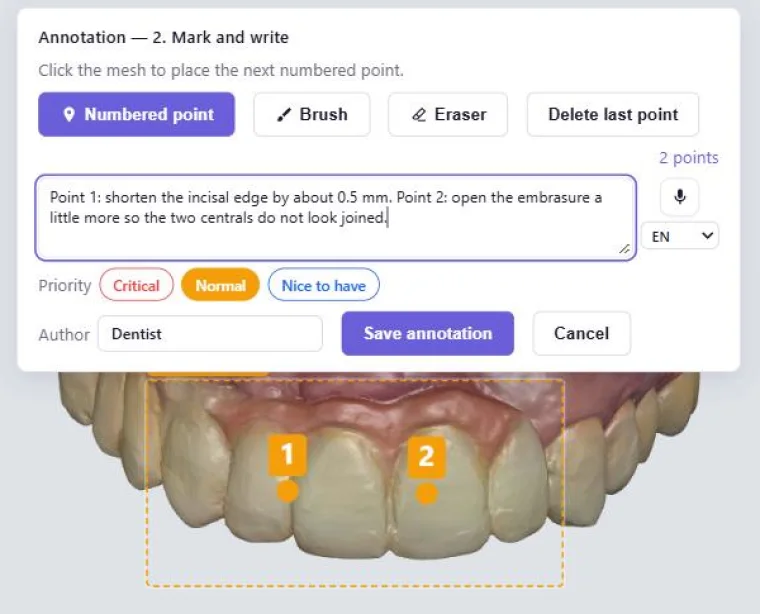
Rotate to the exact view, draw on the surface or place numbered points you can refer to in the text. The note saves that camera, the visible layers and the tools you had on.
Write it or dictate it
Type, or press the microphone and speak: the text is transcribed automatically in your language. Set a priority: critical, normal or nice to have.
Reply and mark done
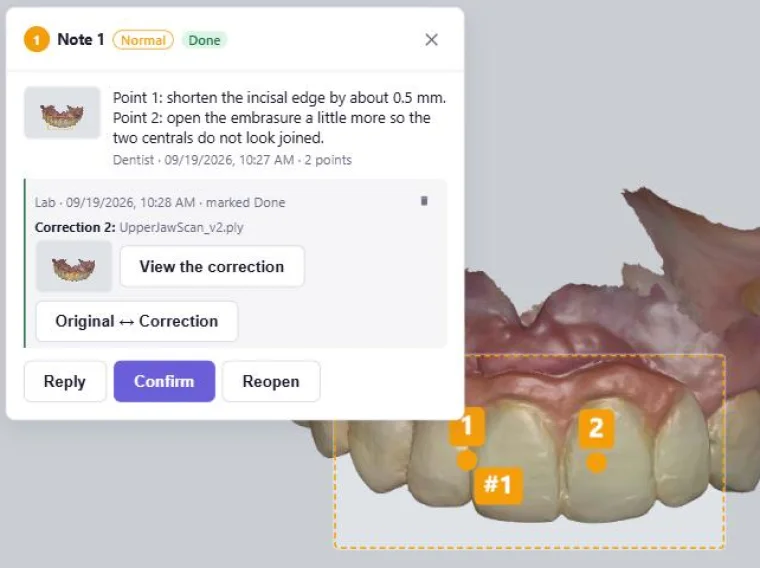
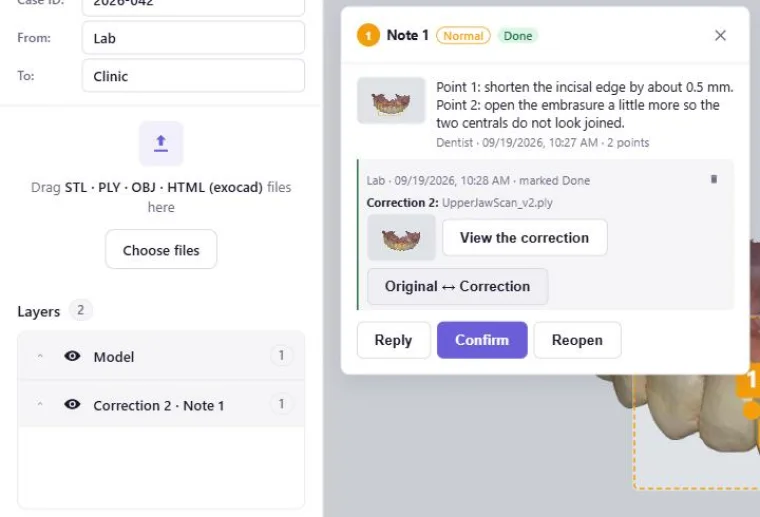
The other side opens the note in the same view, replies, drops the corrected file on the note and marks it done. You confirm, or reopen it with one line.
Compare original and correction
One click switches between the original and the corrected version, from the note’s own viewpoint. Every version stays in the case.
Everything a case needs
Measure
Click two points on the mesh to measure the distance between them, in millimetres, against a reference grid.
Occlusal contacts
Colour map of the distances between opposing meshes, with an adjustable scale, once the case orientation is saved.
Minimum thickness
Colour map of a restoration's thickness over the prep, measured along the normal, showing where it gets thin.
Notes, replies and versions
Typed or dictated notes on the exact spot, with priority and date. Replies, "done" marks and corrected versions stay attached to each note.
Smile simulation
Align a smile photo to the 3D model, show the planned teeth in the patient’s own smile and compare before and after.
Mesh editing
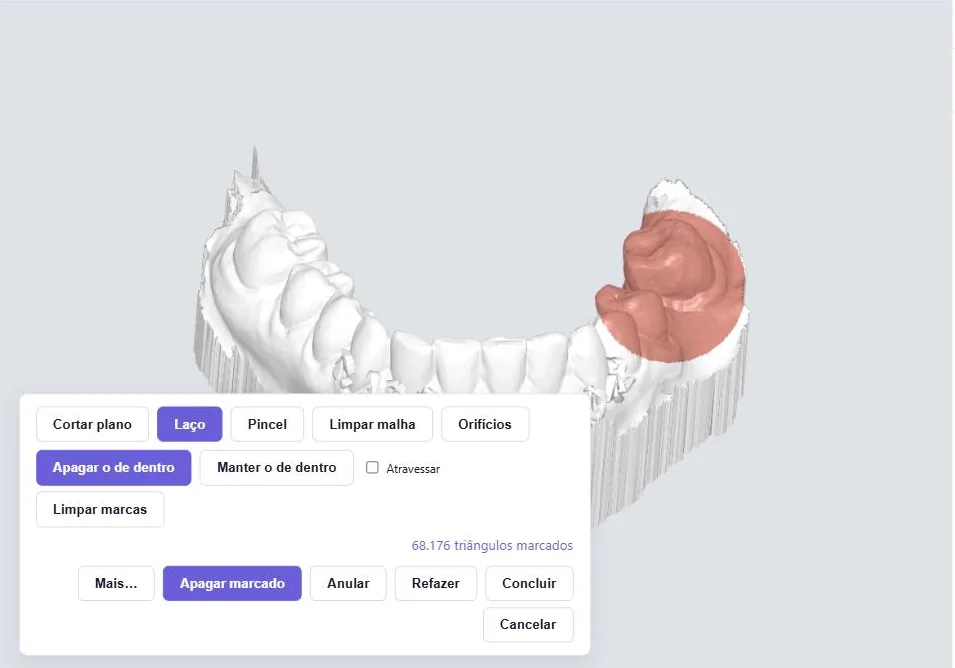
Cut with a plane, mark with a lasso or brush, clean loose bits and close holes.
Print model
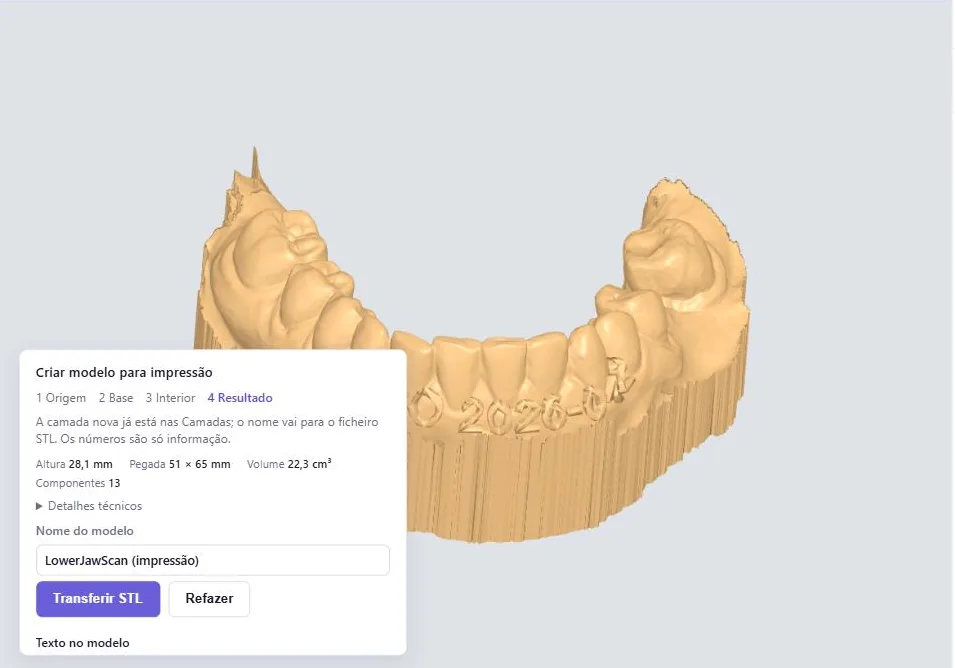
Flat base, hollow interior with drain holes, a raised or recessed text label, and an STL ready for the slicer.
exocad HTML import
Opens the HTML exocad exports, with its groups, colours and photos already in place.
Dental HTML shows numbers and colour maps; it never gives a clinical verdict. Decisions stay with the clinician.
Smile simulation: the photo over the 3D
Align a photo of the patient’s smile to the model. The planned teeth then appear in the real smile, and a before/after slider makes the plan clear to the patient in seconds, during the consultation.
Your data stays yours
Files open and stay on your computer; nothing is uploaded unless you choose to create a link. Signing up takes an email and no password, and the viewer works entirely in your browser.
Export → Link
The case is encrypted in your browser before upload. The key travels only in the link, never on the server. Links expire after 7, 14 or 30 days.
Stored in the EU
Encrypted files are stored on EU servers and removed automatically once the link expires. Your email is confirmed once and you can ask for its removal at any time.
Frequently asked questions
Which files does Dental HTML open?
STL, PLY with colours, OBJ, and the HTML exported by exocad, which brings groups, colours and photos with it.
How do notes reduce errors between dentist and lab?
A note is tied to a spot on the tooth and to the exact view it was written in: whoever opens it sees the same thing you saw. It has a priority and a date, and every reply, corrected file and "done" mark stays attached to it, so nothing gets lost in emails or messages.
Is Dental HTML free?
Yes, the tool is free to use. It asks for your email once, with no password, and there is an optional Ko-fi link if you want to support the project.
Where is the data stored?
By default, nowhere: the case stays in the file on your computer. If you create a link, the case is encrypted in your browser and stored in the EU until it expires.
Does the recipient need to install anything?
Nothing to install. They open the HTML file, or the link, in any modern browser; viewing, measuring and annotating start straight away, and a one-time sign-up with their email unlocks exporting and replying by link.
Can it prepare models for printing?
Yes. It creates a flat base, a hollow interior with drain holes, and a raised or recessed text label, then exports an STL for the slicer.